Anker 341 USB-C Hub: 7-in-1 Connectivity for a Cleaner Desk Setup
This article contains affiliate links. As an Amazon Associate I earn from qualifying purchases.
A modern laptop can be powerful enough for a full workday and still make one simple task surprisingly awkward: connecting everything around it. A monitor needs HDMI, an external drive needs a data port, an SD card has photos waiting to be copied, and the charger is already occupying the one USB-C connection you were hoping to use.
That is when one small laptop port starts creating a surprisingly large desk problem.

Why One USB-C Port Can Feel Limiting
The problem is not that every device needs to stay connected all day. It is the constant switching. Unplug the charger to connect a card reader. Move the monitor cable to make room for an SSD. Dig through a drawer for the adapter that worked last week. None of those steps is difficult on its own, but the friction adds up.
A compact hub solves a different problem than a full docking station. It is not trying to turn the desk into a permanent command center. It simply gives one USB-C port more useful jobs, so the laptop can move between work, photos, storage, and an external display without a pile of separate dongles.
What the Anker 341 USB-C Hub Adds
Seven useful connections in one place
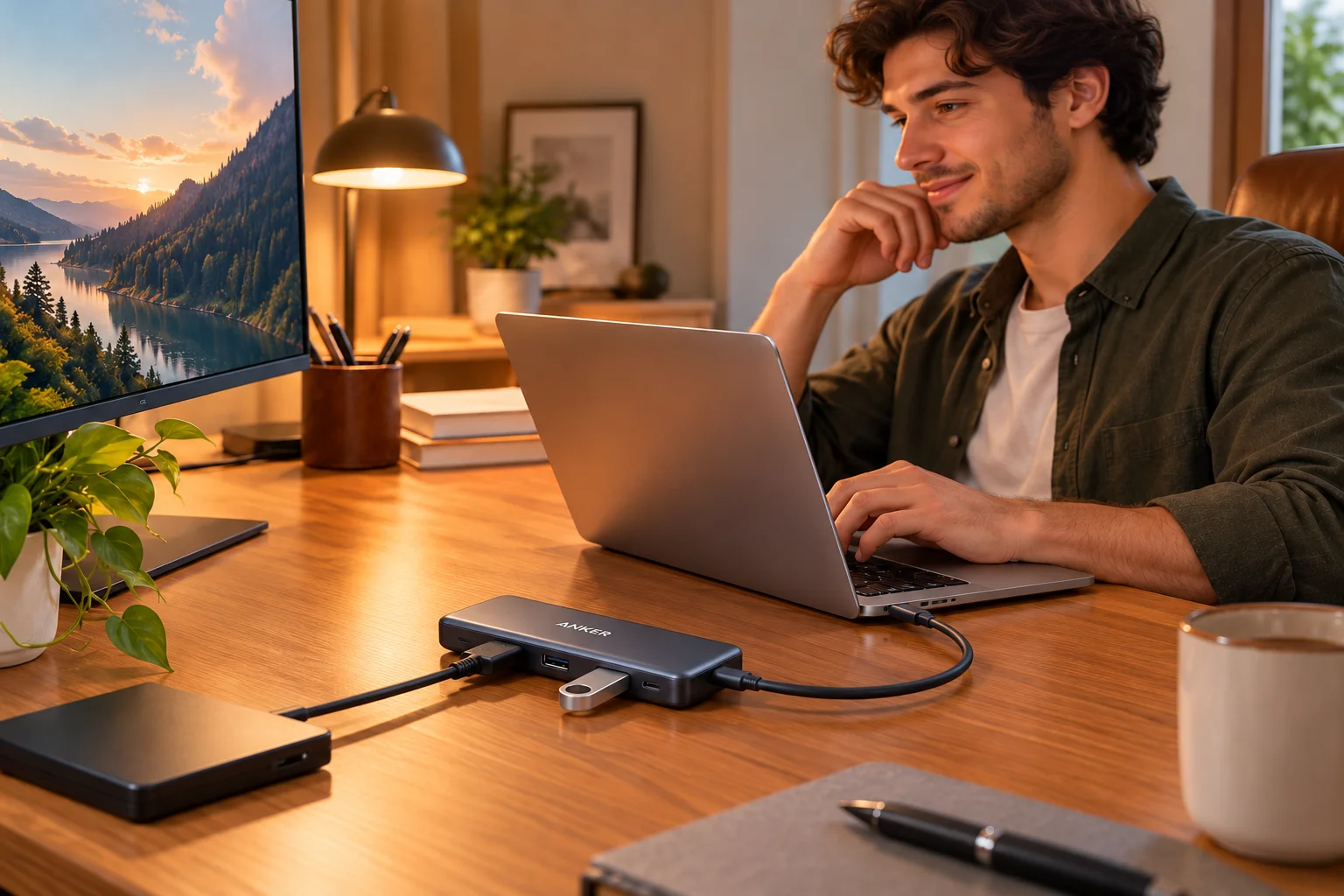
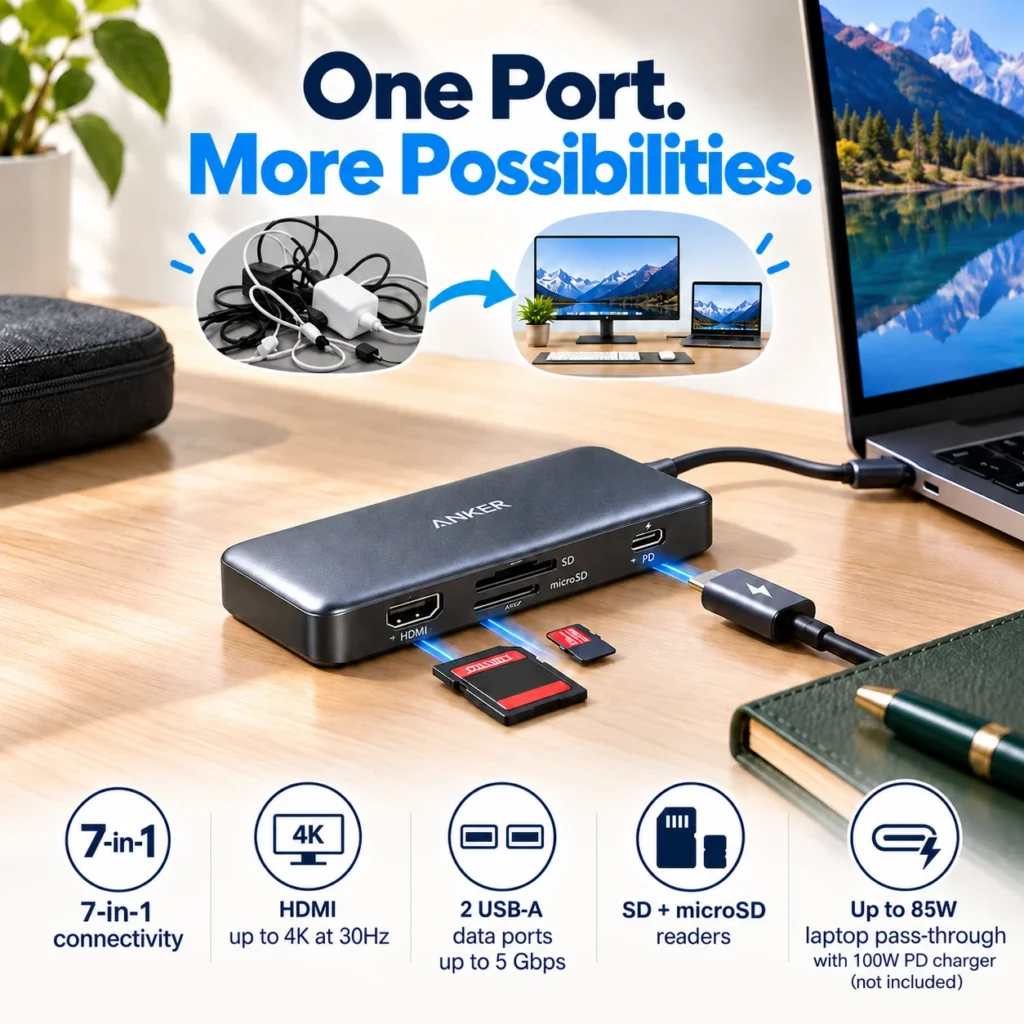
The Anker 341 USB-C Hub, model A8346, expands one compatible USB-C connection into seven practical functions: HDMI, two USB-A data ports, one USB-C data port, an SD card slot, a microSD card slot, and a USB-C Power Delivery input.
The point is not to use every port at once; it is to stop hunting for a different adapter every time your workflow changes.
HDMI for an external display
The HDMI port supports video output up to 4K at 30Hz on compatible laptops. That makes it useful for a home-office monitor, a larger screen for spreadsheets, or a presentation display when the laptop itself does not have a full-size HDMI port.
There is one compatibility detail worth checking before you buy: the laptop’s USB-C port must support DisplayPort Alt Mode for external video. A USB-C connector can look identical while supporting a different set of features, so the host laptop matters just as much as the hub.
Fast data ports and card readers
Two USB-A ports and the USB-C data port support transfer speeds up to 5Gbps. That gives you room for common desk accessories such as external storage, a flash drive, keyboard receivers, or another data device without giving up the laptop’s main charging connection.
The SD and microSD slots are especially useful if photos or video regularly move between a camera, action cam, drone, or laptop. Instead of carrying a separate card reader, the reader becomes part of the same hub that is already handling the monitor and peripherals.
Pass-through charging without another laptop port
The Power Delivery input accepts a compatible USB-C charger and can pass up to 85W to the laptop. Anker rates the hub for up to 100W input, with some power reserved for the hub itself. The charger is not included, so this feature depends on the power adapter you already own or choose separately.
Together, those seven connections cover the everyday tasks that usually make a thin laptop feel short on ports.
Where This Hub Fits Best
This hub makes the most sense for a desk that needs a little more flexibility without becoming a full docking-station setup. A laptop connected to one monitor, a portable SSD, an SD card, and a charger is exactly the kind of workflow where a small 7-in-1 hub feels useful rather than excessive.
It is also easy to understand why this type of hub works well in a laptop bag. One compact accessory can replace several single-purpose adapters, which matters when the same computer moves between a home desk, office, classroom, hotel, or client site.
If your setup needs dual 4K displays, Ethernet, very high-wattage accessories, Thunderbolt bandwidth, or a large collection of permanently connected peripherals, a more capable dock may be the better fit. The Anker 341 is better understood as a practical expansion hub than as a workstation-class dock.

What to Check Before You Buy
First, check the laptop’s USB-C capabilities. For HDMI output, the port needs DisplayPort Alt Mode. For pass-through charging, both the laptop and charger need to support the appropriate USB-C Power Delivery behavior. The connector shape alone does not guarantee every feature.
Second, think about the devices you actually plan to connect. The hub gives you several useful ports, but it is still sharing bandwidth and power through one host connection. If you regularly move very large files while driving a display and powering multiple high-draw devices, your needs may be closer to a larger dock.
Finally, confirm the exact Amazon listing before purchase. Anker sells several hubs with very similar names and shapes, including models that add Ethernet or different display layouts. This article covers ASIN B07ZVKTP53, the Anker 341 / A8346 7-in-1 configuration described above.
The Everyday Upgrade Take
The useful thing about the Anker 341 is not that it gives a laptop seven more things to manage. It is that it can make several everyday connections feel like one simple routine.
Plug the hub into the laptop, leave the monitor, storage, card reader, or charger connected where it makes sense, and the desk becomes easier to re-enter after a meeting, commute, or travel day. That is a small upgrade, but it is exactly the kind of small upgrade that removes repeated friction from a workspace.
If your laptop has the right USB-C features and your desk only needs one external display, common data ports, card readers, and charging, this is a compact way to make a limited port selection feel much more practical.
This article contains affiliate links. As an Amazon Associate I earn from qualifying purchases.
Check current price and availability for the Anker 341 USB-C Hub on Amazon.
If cable clutter is the bigger problem on your desk, our JOYROOM magnetic cable clips guide is a simple companion upgrade for keeping charging and data cables within reach.
If your goal is a more ergonomic multi-screen workspace, our HUANUO dual monitor stand guide tackles the display side of the setup.https://theeverydayupgradehub.com/huanuo-hnds6-dual-monitor-mount/
If you are building a more comfortable and practical workspace, explore more ideas in our Office Desk Setup collection.