Monitor Light Bar: A Cleaner Way to Light Your Desk Without Screen Glare
This article contains affiliate links. As an Amazon Associate I earn from qualifying purchases.
There is a familiar point in a late work session when the monitor is still bright, the room around it is getting darker, and the desk starts to feel harder to look at. Turning on a normal lamp can help, but it can also add reflections, take up desk space, or throw light from an awkward angle.
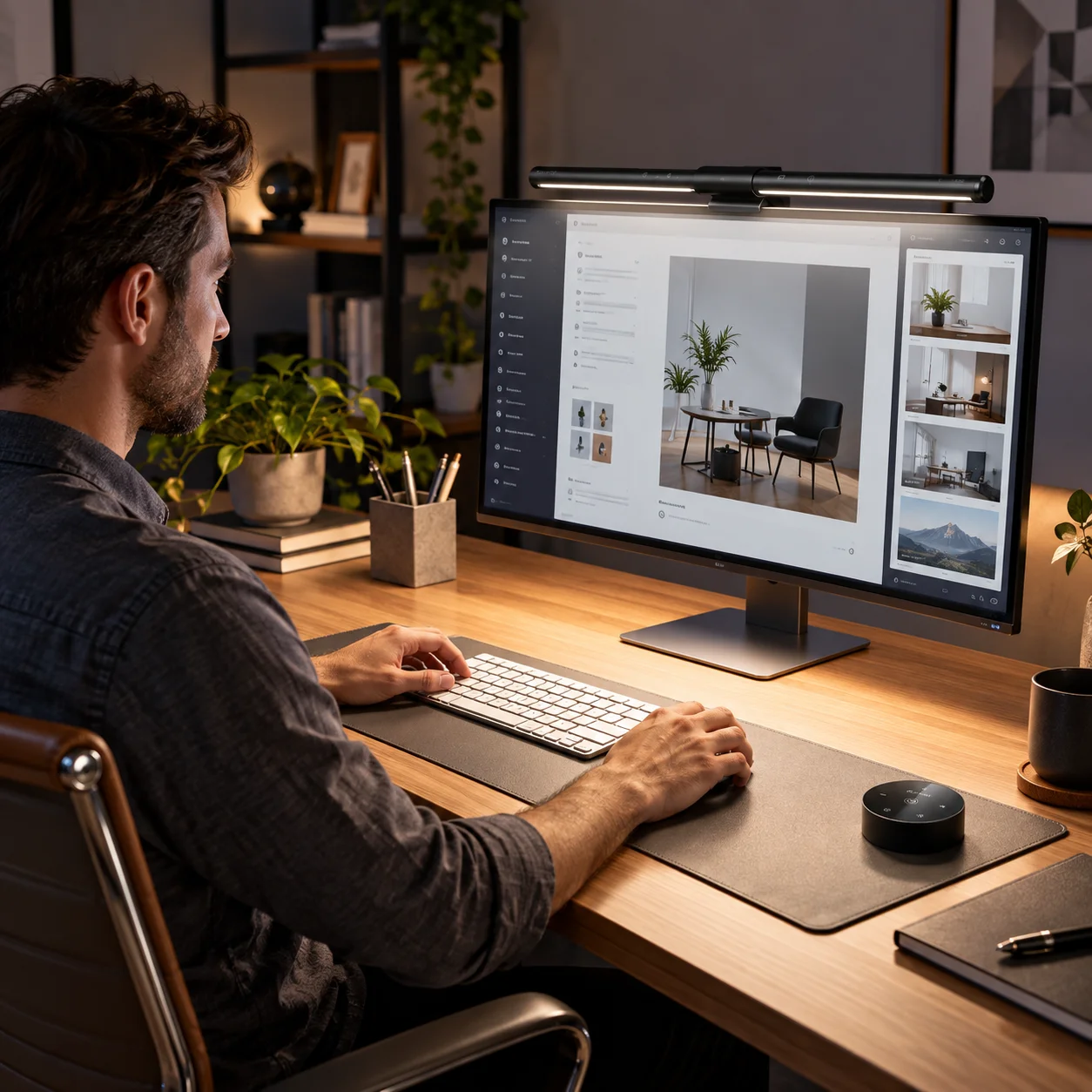
A monitor light bar approaches the problem differently. Instead of placing another lamp beside the keyboard, it sits above the display and aims light down toward the desk. The Quntis ScreenLinear Pro is built around that idea, with adjustable light, automatic dimming, and controls designed for people who spend a lot of time in front of a screen.

Why a Monitor Light Bar Can Make Evening Desk Work Feel Easier
The biggest appeal is not simply “more brightness.” It is more deliberate lighting around the workspace. A traditional desk lamp can illuminate well, but it may also compete with the monitor or use space you would rather keep free. A screen-mounted light bar keeps the light source above the display and directs illumination toward the desk instead.
That setup can be useful for writing notes, reading papers, working with a keyboard, sketching, or doing detail-oriented tasks after daylight fades. The goal is a more balanced desk environment, not turning the monitor itself into a brighter source.
What the Quntis ScreenLinear Pro Actually Offers
Asymmetric lighting designed to reduce screen glare
Quntis uses an asymmetric optical design that directs light toward the work surface rather than straight at the screen. That is the practical reason this type of lamp can feel different from a conventional desk lamp: the light is meant to illuminate the desk while minimizing direct reflection on the monitor.
No lighting setup can guarantee zero glare in every room or screen angle, so placement still matters. But the product is designed specifically around that problem, which makes it a better fit for screen-heavy work than a lamp that was never intended for a monitor setup.
Auto-dimming plus stepless brightness control
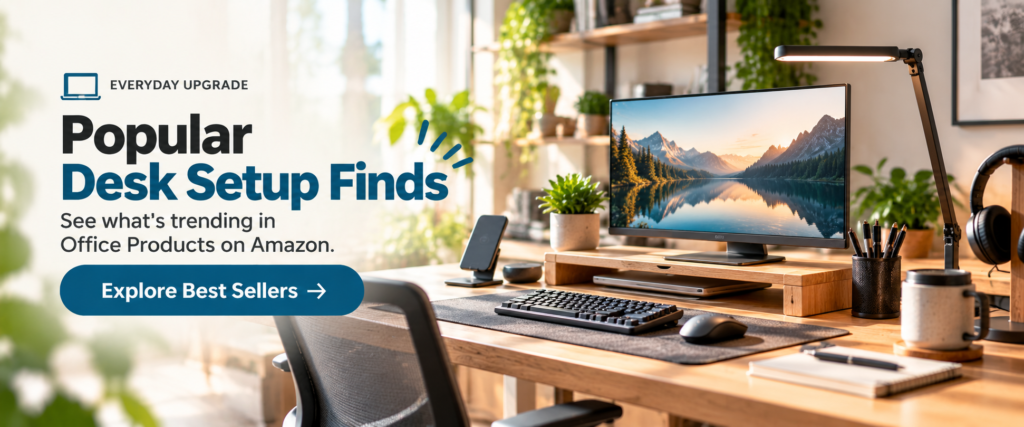
A built-in ambient light sensor can automatically adjust output based on the surrounding light, while manual brightness adjustment lets you fine-tune the level yourself. Current product documentation describes stepless control from roughly 5% to 100%, with an auto-dimming target around 900 lux.
The Pinterest creative summarizes that control as five practical brightness levels. The broader product documentation also supports continuous adjustment, so the better way to think about it is quick level control plus finer tuning when you want it.
Adjustable color temperature and Ra98 color rendering
The light can shift from a warmer tone to a cooler white across roughly 3000K to 6500K. That gives you room to choose a softer evening feel or a cooler work-focused look without changing lamps. The product also carries a stated Ra98 color rendering index, which is useful for anyone who cares about how accurately colors appear in the surrounding workspace.
For design work, photo editing, illustration, or simply a more natural-looking desk environment, higher color rendering is a meaningful feature. It does not calibrate your monitor, but it can make the physical objects and paper around the screen look more natural under the light.
Touch controls, remote control and a space-saving clamp
Controls are available on the light bar itself and through the wireless remote, which means you can make adjustments without reaching over the monitor every time. The clamp-style mount keeps the base off the desk, and current documentation supports monitors up to about 2.75 inches thick.
That combination matters in smaller setups. You get a dedicated light without sacrificing a corner of the desk to a lamp base, while still keeping brightness and color adjustments within easy reach.
What to Check Before You Buy
Monitor thickness and shape
The first check is physical fit. Measure the top edge of your monitor and look at its shape before assuming every light bar will sit correctly. Quntis documentation lists clamp compatibility up to about 2.75 inches, but heavily curved, unusually thick, or irregular monitors deserve a closer look before purchase.
Also check where your webcam sits. A top-mounted camera and a monitor light bar may compete for the same space, so it is worth planning the layout before adding both.
USB power and the way you use your desk
The lamp is USB-powered rather than battery-powered, so cable routing is part of the setup. That is usually easy on a permanent desk, but it matters more if you move equipment around often or already have a crowded cable arrangement.
Think about how you actually work, too. If your desk is used mostly in daylight, automatic dimming may be the feature you appreciate most. If you work late, adjustable warmth and remote control may matter more. The best feature is the one that removes friction from your own routine.
Who Will Get the Most Use From It?
A monitor light bar makes the most sense for people who spend long stretches at a desktop monitor and want more useful task lighting without giving up desk space. It fits especially well with home offices, editing setups, study desks, gaming desks, and workstations used after dark.
It may be less useful if you primarily work from a laptop without an external monitor, if your display shape cannot support the clamp well, or if you already have excellent overhead and desk lighting with no reflection problems.
The Everyday Upgrade Take
The Quntis ScreenLinear Pro is a good example of an upgrade that solves a specific desk problem rather than trying to do everything. It adds controllable light where you actually work, keeps the lamp base off the desk, and gives you enough adjustment to change the feel of the workspace from morning to late evening.
The strongest reasons to consider it are the asymmetric lighting, auto-dimming, broad brightness and color-temperature control, remote access, and compact monitor-mounted format. If your desk feels too dark around a bright screen, this is the kind of focused upgrade that can make the setup feel noticeably more intentional.
This article contains affiliate links. As an Amazon Associate I earn from qualifying purchases.
Check the current Quntis ScreenLinear Pro monitor light bar details on Amazon.
Explore more practical ideas in our Office Desk Setup category.
If you also want to raise your laptop screen, our adjustable laptop stand guide covers another simple way to improve the layout of a work desk.