
Monitor Stand with Drawer for a Cleaner, More Organized Desk
This article contains affiliate links. As an Amazon Associate I earn from qualifying purchases.
A desk rarely becomes cluttered all at once. A notebook stays open after one task, a calculator gets pushed beside the keyboard, pens collect around the monitor base, and suddenly the space meant for work is doing a second job as a storage shelf.
That is why a monitor stand with drawer storage can be more useful than it first appears. The OPNICE 2-tier monitor riser does not ask you to add another cabinet beside the desk. Instead, it turns the space directly under and beside the screen into a place for the small things that otherwise drift across the desktop.

Why a Monitor Stand with Drawer Changes a Busy Desk
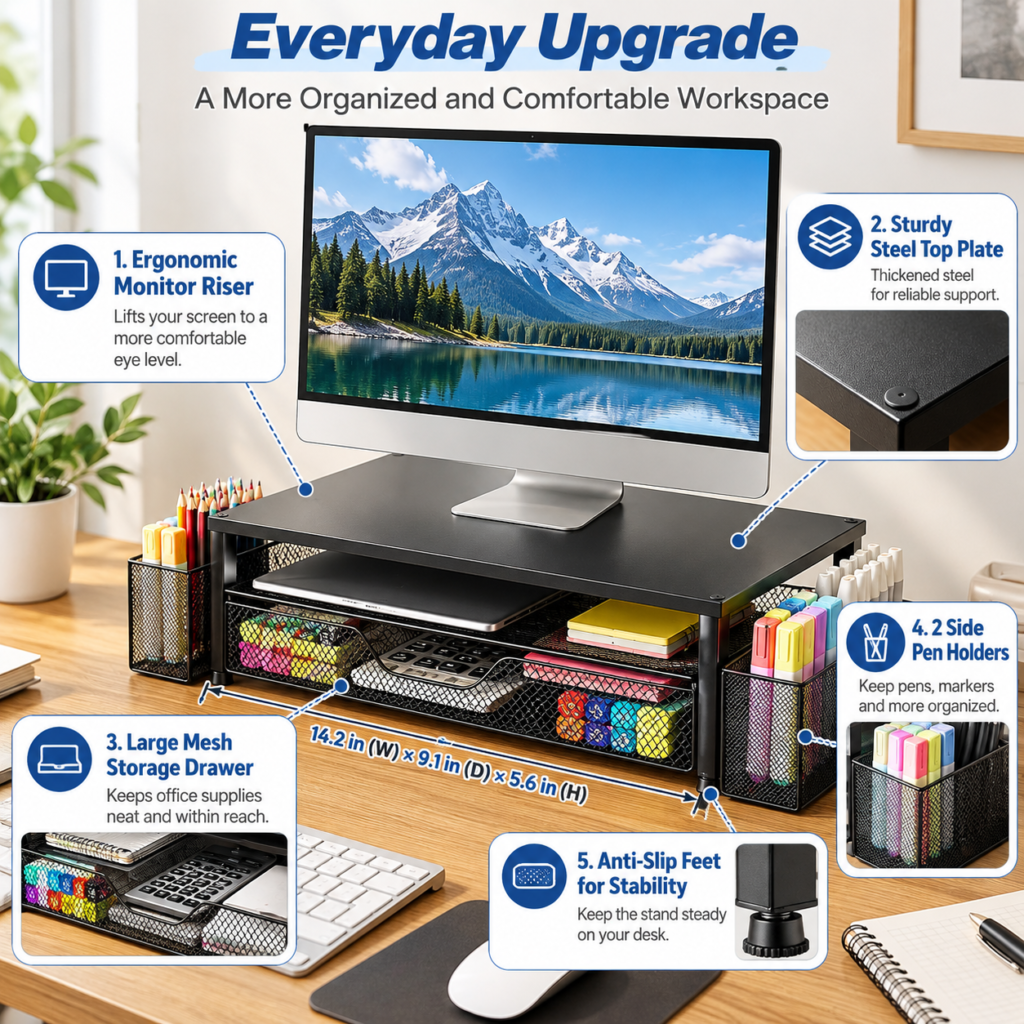
The obvious job is to raise the monitor. Even a modest lift changes how much usable space sits underneath the screen, and that extra vertical room can make a compact desk feel less crowded. The useful part here is that OPNICE does more than leave an empty gap: the lower area is built around storage.
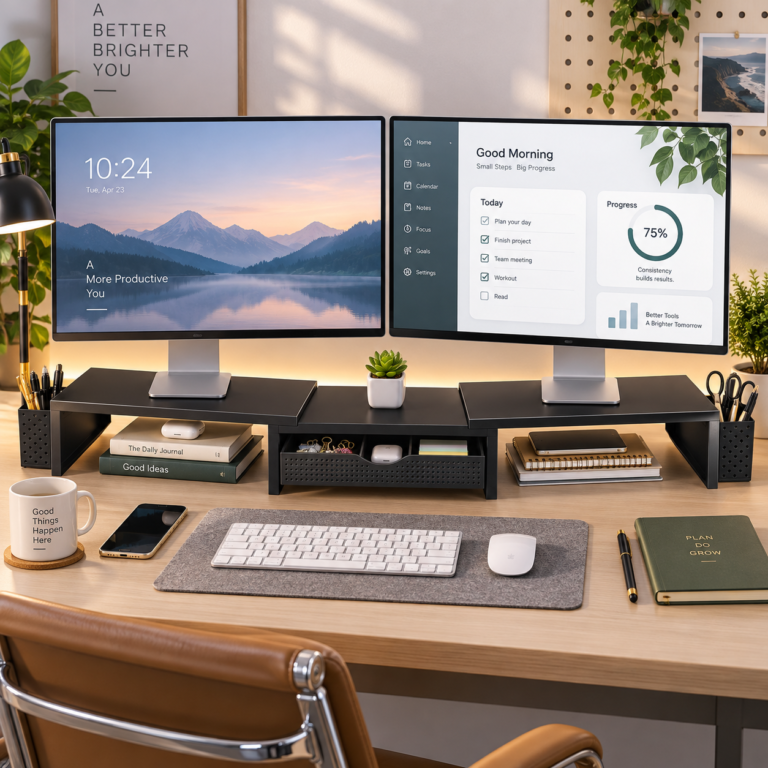
A drawer gives loose supplies a defined home, while the two side holders keep frequently used pens, markers or scissors close without leaving them scattered in front of the keyboard. It is a small organizational shift, but it can remove several everyday objects from the main work surface at once.

What the OPNICE 2-Tier Monitor Riser Adds
A raised platform for the screen
The upper platform is designed to support a monitor or laptop above the desktop. Raising a screen can make it easier to arrange the rest of the workstation around your preferred viewing position, but the right height still depends on your chair, desk and monitor. Think of the riser as another positioning option rather than a one-size-fits-all ergonomic fix.
Storage that uses the space underneath
The large mesh drawer is the feature that makes this feel more like a desk organizer than a basic monitor shelf. It is suited to the awkward middle-size items that are too useful to put away but too messy to leave loose: a notebook, calculator, charging cable, sticky notes, clips or other everyday office supplies.
Two side holders for everyday tools
The pen holders sit at the sides rather than competing for space in the drawer. That separation is practical if you reach for pens and markers throughout the day. It also helps keep taller items upright instead of mixing them with papers and cables below the monitor.
Where This Desk Organizer Makes the Most Sense
This type of setup is particularly useful on a home-office desk, study table or dorm workspace where adding a separate drawer unit would take up too much room. It can also work for people who like a visually calmer desktop but still want frequently used supplies within arm’s reach.
The biggest improvement is not that every item disappears. It is that the desk gains zones: screen above, supplies below, writing tools at the sides, and the keyboard and mouse left with more open space in front. That can make resetting the desk at the end of the day much quicker.
What to Check Before You Buy a Monitor Stand with Drawer
Measure your monitor base and desk depth
Start with the footprint of your monitor base and the usable depth of your desk. Product photos can make a riser look more spacious than it will feel in a real workstation. Leave enough room in front for your keyboard and enough clearance behind for cables.
Confirm the current load and dimensions
OPNICE sells several similar monitor-stand variants, so confirm the exact B0DB8F7GDN listing before ordering. Check the current overall dimensions, top-platform dimensions and stated load capacity against your monitor. This matters especially if your display has a wide or unusually heavy base.
Decide what you actually want to store
A drawer is only helpful when its shape matches the things you use. If you mostly need a place for thin notebooks, a calculator and small accessories, this layout is a natural fit. If you expect to hide bulky power bricks or large headphones, measure first rather than assuming they will fit.

The Everyday Upgrade Take
The OPNICE monitor stand is a good example of a small desk accessory doing two jobs at once: giving the screen a higher platform and reclaiming some of the space underneath for storage. The drawer and two side holders are what make it more interesting than a simple riser.
It will not organize an entire office by itself, and it is worth measuring your setup carefully before buying. But if your desk keeps collecting the same small supplies around the monitor, giving those items a dedicated place can make the workspace easier to reset and easier to use.
Check the current OPNICE monitor stand with drawer details and availability on Amazon.
If you are building a cleaner workstation one small piece at a time, explore more practical ideas in our Office Desk Setup collection.
If screen height is the bigger problem than storage, an adjustable laptop stand can be a more flexible option for a laptop-first setup.