GABRYLLY Ergonomic Office Chair: A Smarter Mesh Setup for Long Workdays
This article contains affiliate links. As an Amazon Associate I earn from qualifying purchases.
A chair can feel perfectly acceptable for the first hour and much less convincing by the middle of the afternoon. You start shifting forward, leaning on one arm, or adjusting your position because the chair no longer feels like it is working with the way you actually sit.
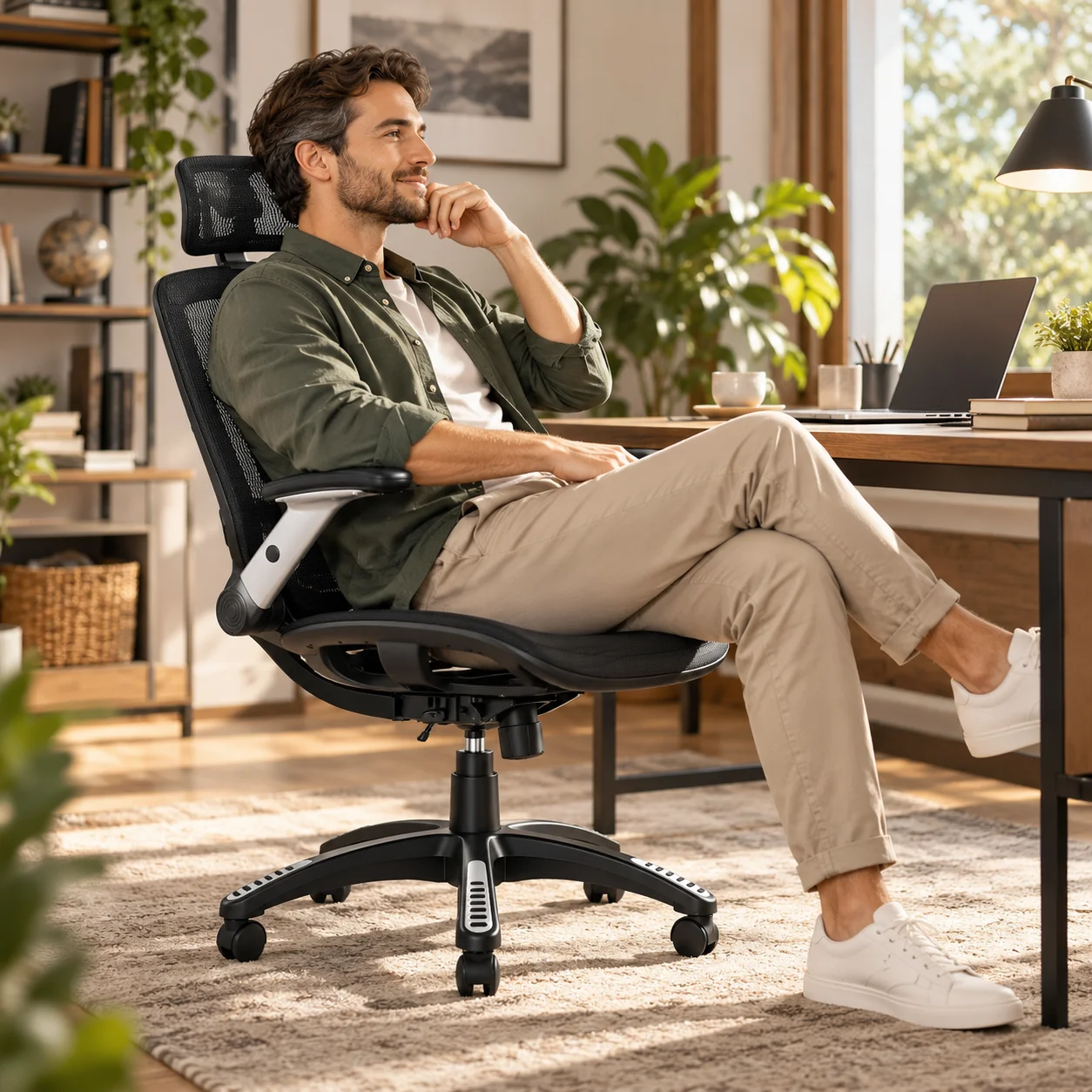
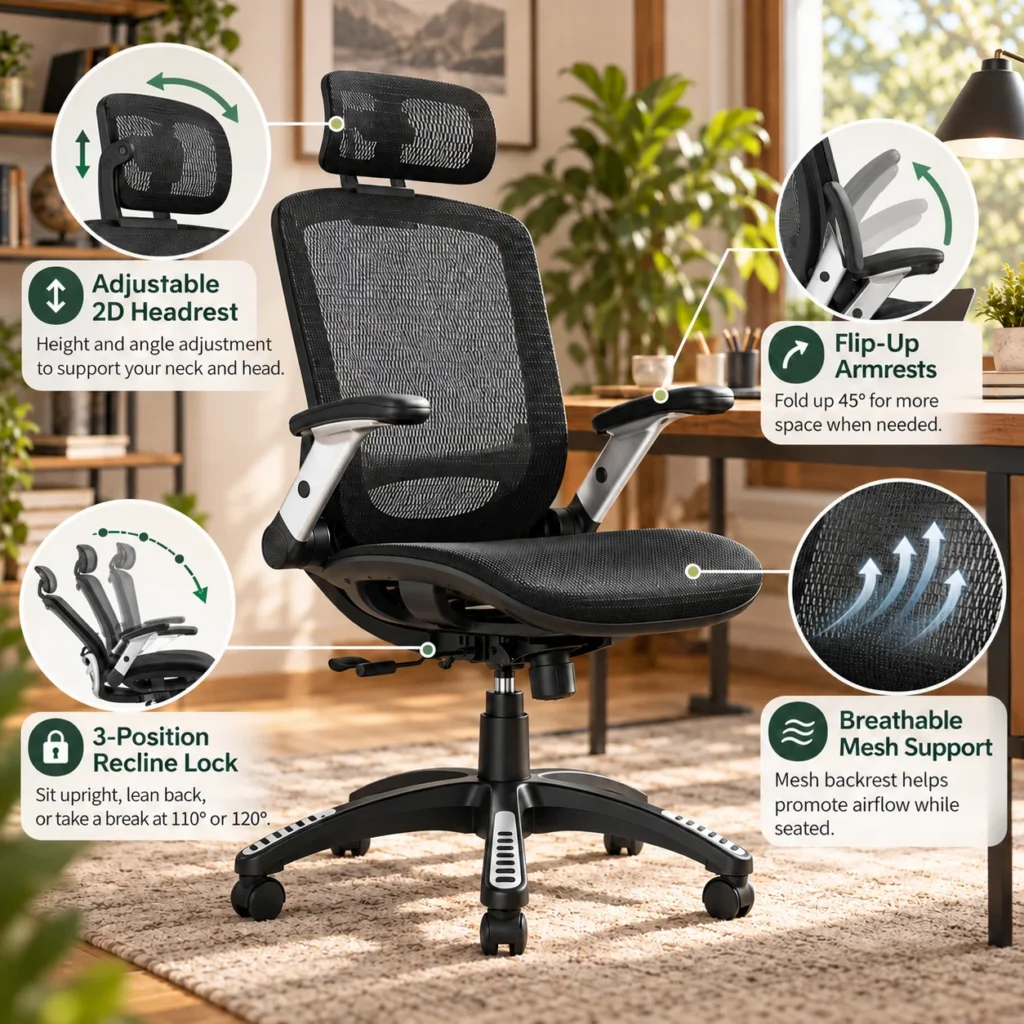
That is the problem the GABRYLLY ergonomic office chair is trying to solve. Instead of relying on one fixed seating position, it combines breathable mesh, adjustable head support, flip-up armrests, seat-height adjustment, and a recline range that lets the chair change with different parts of the day.
It is still important to keep expectations realistic. No office chair can guarantee perfect posture or comfort for every body type. But if your current chair feels hot, bulky, or too limited once the workday stretches on, this model brings several useful adjustments into one familiar high-back design.

Why the GABRYLLY Ergonomic Office Chair Feels More Adaptable
The strongest argument for this chair is not a single dramatic feature. It is the way several smaller adjustments work together. A mesh chair can feel visually lighter than a padded executive chair, the headrest gives you somewhere to rest when you lean back, and the armrests can move out of the way when you need more room around the desk.
Breathable mesh helps the chair feel less closed-in
The back and seat use mesh rather than a thick padded shell. In everyday terms, that means more airflow around the areas that stay in contact with the chair. It does not magically keep you cool in every room, but it can make a noticeable difference if you dislike the warm, enclosed feel of heavily cushioned seating.
Mesh also gives the chair a cleaner visual footprint. In a home office, that matters more than it sounds: a high-back chair can dominate a small room, while a darker mesh frame tends to blend into the workspace more easily.
An adjustable headrest gives your upper body more flexibility
The headrest can be adjusted so it sits in a more useful position for your height and the way you lean back. That does not mean you should spend the whole day resting your head against it. Its value is that it is there when you move away from a fully upright work posture and want a little more support higher up the chair.
This is especially relevant for people who alternate between typing, reading, watching something on screen, and short breaks without leaving the desk. A chair that can support more than one of those positions usually feels less restrictive over time.
Flip-up arms make the chair easier to fit around a desk
The armrests can fold upward by roughly 45 degrees. That sounds like a small detail until you are trying to push the chair closer to the desk or free up room for your elbows. With the arms raised, the chair can tuck in more easily and leave the sides of the seat less boxed in.
For compact home offices, shared rooms, or desks with drawers and low aprons, that extra flexibility can be more practical than elaborate armrest mechanisms you rarely use.
Recline Options That Match Different Moments
The backrest reclines from an upright working position to a more relaxed angle, with the chair commonly documented around 90 to 120 degrees. The useful part is not simply that it reclines—it is that the range gives you a few clearly different ways to sit without turning the chair into a lounge recliner.
90° for focused desk work
When you are typing, editing, or working close to the screen, the upright position keeps the chair closer to a conventional task-chair posture. This is the position most people will use when the desk is the center of attention.
110° and 120° when you want to lean back
For reading, watching a longer video, or taking a short break between tasks, a more open back angle can feel less rigid. The documented recline positions around 110 and 120 degrees give you room to lean back without needing a separate chair for that part of the day.
The practical takeaway is simple: you are not locked into one posture from morning to evening. You can change position as the task changes, which is often more useful than trying to stay perfectly still for hours.
What It Is Like to Fit Around a Real Desk
A chair can have a long feature list and still be awkward if it does not fit your desk or body. This GABRYLLY model has a relatively broad mesh seat and a high back, so it makes more sense to think about overall fit than to focus only on the word “ergonomic.”
The seat height is adjustable, and the armrests can move up and out of the way. That combination helps if you sometimes want the chair tucked close under the desk and other times want arm support while typing. The swivel base and rolling casters also make it easier to move between a monitor, side table, printer, or second work surface without constantly standing up.
If your desk has limited knee room, measure the underside clearance before buying. Flip-up arms solve one common problem, but they cannot fix a desk that is simply too low or too narrow for the chair itself.
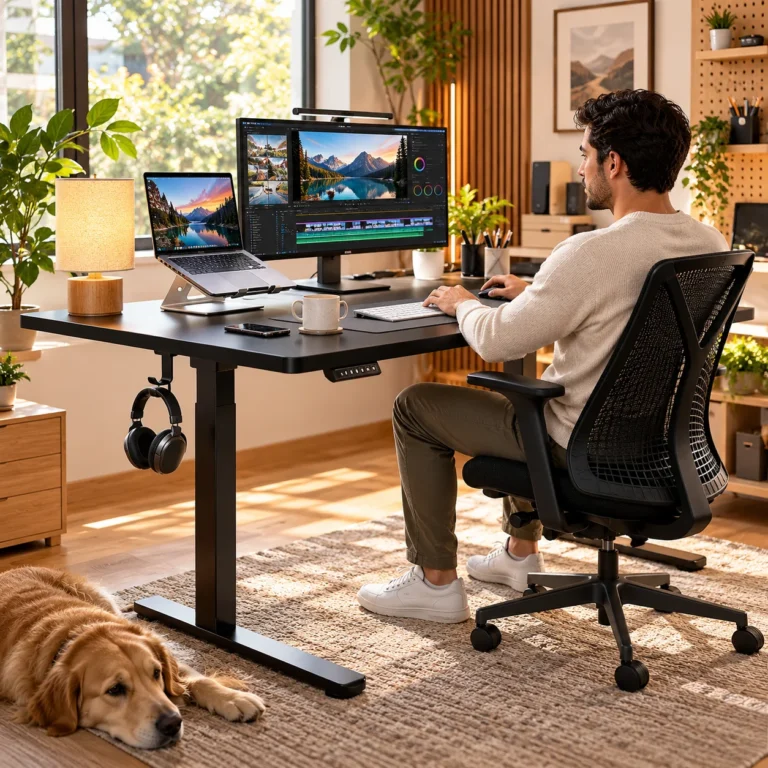
If you are building a more comfortable and practical workspace, explore more ideas in our Office Desk Setup collection. Small changes around the chair, lighting, and work surface can add up to a desk that feels easier to use every day.
What to Check Before You Buy an Ergonomic Mesh Office Chair
This is the part that matters more than the marketing photos. A chair is one of the most body-dependent purchases in a workspace, so a few measurements and habits are worth checking before you order.
Check body fit, not just the feature list
Manufacturer guidance for this long-running model commonly places the comfortable user range around 5’5″ to 6’2″, but treat that as a starting point rather than a rule. Leg length, torso height, shoulder position, and the depth of the seat all affect how a chair feels. If you are much shorter or taller than that range, read the current sizing carefully before deciding.
The same applies to the seat itself. A wide seat can feel spacious, but too much depth can make it harder for a shorter user to keep their back against the backrest while their feet stay comfortably planted.
Think about desk clearance and how often you move the chair
Flip-up arms are particularly useful if you like to push the chair under the desk at the end of the day. If your room is tight, that can make the workspace feel less crowded. If you frequently roll between two work surfaces, also think about your flooring and whether you want a floor mat beneath the casters.
Expect some assembly and adjustment time
Like most full-size office chairs, this model arrives in parts and needs to be assembled. The more important step comes after assembly: spend time adjusting the seat height, headrest, recline tension, and arm position instead of leaving everything at the factory-default feel. An adjustable chair only helps when the settings actually match the person using it.
Once the chair is sorted, better task lighting can make the whole desk feel easier to use after dark—our Quntis monitor light bar guide covers that upgrade in more detail. If your next priority is a cleaner work surface, our Aothia desk pad guide looks at a simple way to protect the desktop while giving your mouse and laptop one consistent surface.
Who This Chair Makes the Most Sense For
The GABRYLLY chair makes the most sense for someone who wants a high-back mesh chair with several practical adjustments but does not need the complexity of a premium multi-thousand-dollar ergonomic system. It is especially easy to understand if your priorities are airflow, a headrest, arms that can get out of the way, and a backrest that can shift between upright work and a more relaxed angle.
It may be less compelling if you already know you need advanced seat-depth adjustment, highly customizable arm pads, or very specific lumbar tuning. Those are the situations where a more specialized chair can be worth the extra cost.
The key is to buy it for the adjustments you will actually use, not for the number of features printed in the listing.
Final Thoughts: A Flexible Upgrade for Everyday Desk Time
The appeal of this GABRYLLY ergonomic office chair is straightforward: it gives you more ways to change how you sit without making the chair difficult to understand. Mesh keeps the design lighter and more breathable, the headrest adds upper support when you lean back, the armrests can fold away, and the recline range makes it easier to move between focused work and a quick reset.
That does not make it the perfect chair for everyone. Fit still matters, and no feature list can replace checking the dimensions against your body and desk. But for a home office that needs one chair to handle work, reading, meetings, and everyday computer time, it is a practical model to put on the shortlist.
This article contains affiliate links. As an Amazon Associate I earn from qualifying purchases.
Want to see the current configuration, availability, and exact live specifications? Check the current GABRYLLY ergonomic office chair details on Amazon.
If you are building a more comfortable and practical workspace, explore more ideas in our Office Desk Setup collection.
Once the chair is sorted, better task lighting can make the whole desk feel easier to use after dark—our Quntis monitor light bar guide covers that upgrade in more detail.