

Under Desk Cable Management Tray: A Cleaner Way to Organize Desk Cords
This article contains affiliate links. As an Amazon Associate I earn from qualifying purchases.
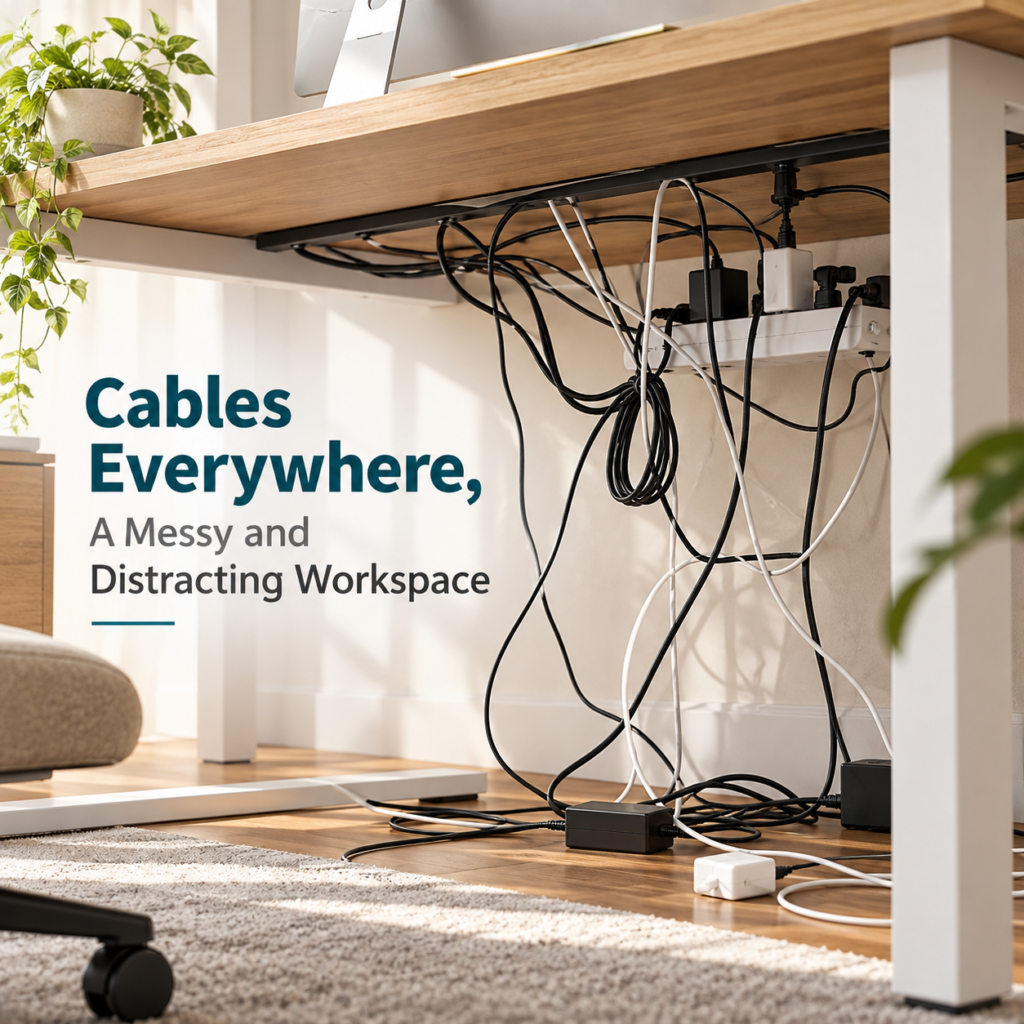
A desk can look perfectly organized from the chair and still hide a small disaster underneath. The monitor is centered, the keyboard has room, maybe there is even a plant in the corner — then one glance below the desktop reveals a power strip, charging bricks and several loops of cable hanging wherever they found space.
That kind of clutter is easy to ignore until a cord catches your foot or you need to unplug the right adapter. Tying everything together helps, but it does not give the power strip and bulky plugs anywhere to live. An under desk cable management tray takes a different approach: move the hardware off the floor and give the extra cable length a dedicated place below the desktop. The cables do not disappear, but the tangle is still there every time you look underneath.
Why an Under Desk Cable Management Tray Helps
The main advantage is separation. Instead of asking every cable to hang neatly on its own, the tray creates one zone for the power strip, adapters and spare cord. That can make it easier to see which cable goes where and keeps more of the floor area around the desk clear.
For a home office, that is often enough. Cable management does not need to look like a studio installation; it just needs to make the setup less distracting and easier to adjust when a charger or accessory changes.
What the Litwaro Tray Actually Organizes
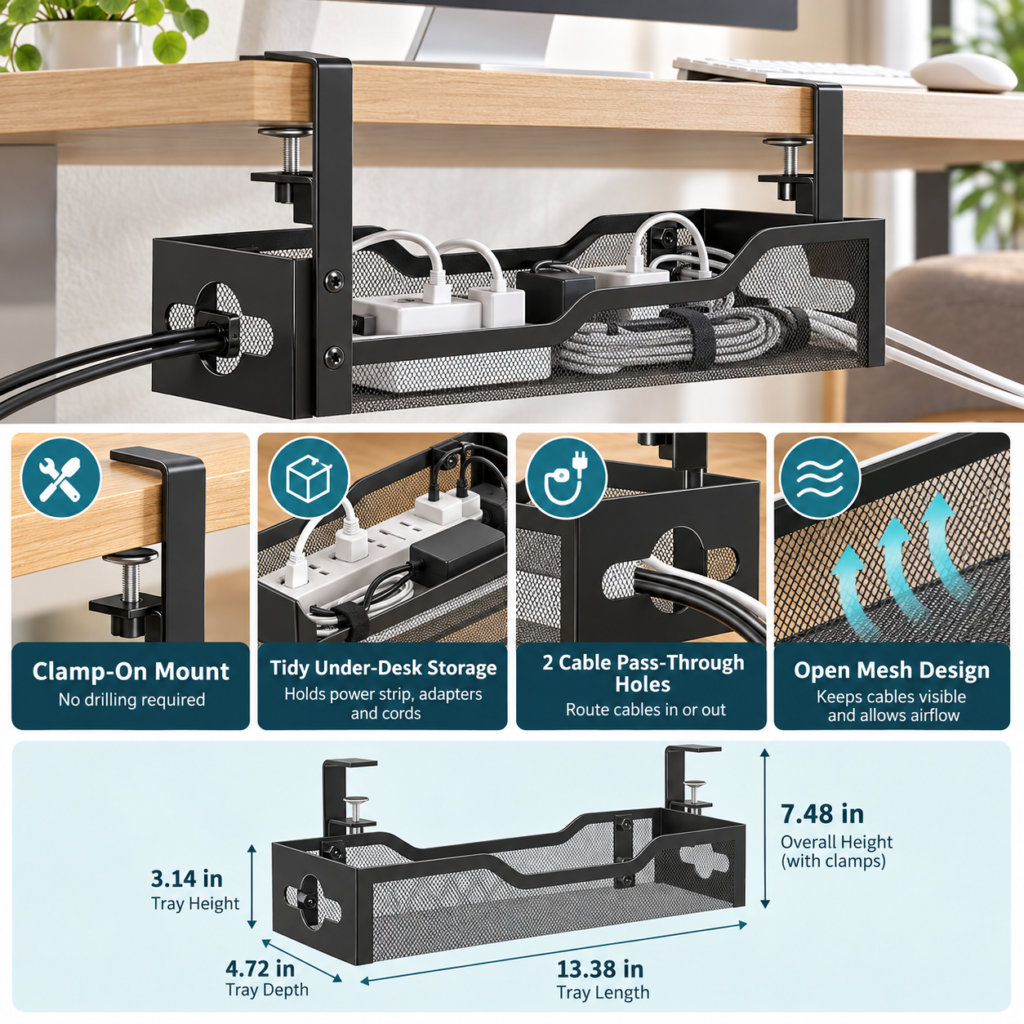
The Litwaro design is a black metal mesh tray that clamps to the edge of the desk. Current exact-ASIN records list the tray at 13.38 inches long and 4.72 inches deep, giving it room for the kind of hardware that is awkward to hide with small adhesive clips alone.

Power strips and bulky adapters
A power strip is usually the hardest part of an under-desk setup to disguise because the plugs and charging bricks add height and weight. A tray lets those pieces sit together rather than dangle from their cords. That also makes it easier to reach the strip when something needs to be unplugged or rearranged.
Extra cable length
Long monitor, laptop and charging cables often leave loops that have nowhere useful to go. The tray can hold that slack alongside the power hardware, while cable ties can still be used inside the tray when you want a neater bundle.
No-Drill Clamps Keep Installation Simple
This version attaches with clamps rather than screws through the desktop. That is useful when you do not want to drill into a desk, when the desk is rented furniture, or when you simply want the option to move the organizer later.
Clamp mounting still needs a suitable desk edge. Before buying, look underneath the desktop for support rails, drawers or a thick frame that could block the clamp. A desk can be wide enough for the tray and still have nowhere for the brackets to grip.
Open Mesh and Cable Pass-Throughs Make Routing Easier
The tray uses open metal mesh instead of a fully enclosed box. Visually, that means the cables are not completely hidden, but the open structure keeps the contents easy to see and reach when you need to change something.
Two side openings give cables a straightforward route into or out of the tray. That matters when the power strip stays inside while monitor, laptop and charger cables need to continue toward devices on the desktop. The result is less about making cables invisible and more about giving them a predictable path.
Measure Your Desk Before You Buy
Cable organizers are one of those products where a few minutes with a tape measure can prevent an annoying return. Start with the usable space under the desk, not just the overall desktop width. Check where the clamps would sit and whether the tray would interfere with your knees, a drawer, a crossbar or a standing-desk frame.
Check desktop thickness and edge clearance
The clamp needs a flat, accessible edge. If the desktop has a deep apron or metal support immediately underneath, the clamp may not be able to seat correctly. Confirm the current listing’s clamp range against your actual desktop before ordering.
Check tray space and cable reach
The exact-ASIN records reviewed list a 13.38-inch tray length and 4.72-inch depth. Think about the size of your power strip and adapters, but also about where the cables need to go afterward. A tidy tray is not useful if a monitor cable becomes too short to reach the screen.

What This Cable Tray Will Not Fix by Itself
A tray gives the mess a home; it does not automatically organize every cable inside it. If you have several long cords, a few reusable hook-and-loop ties can still make the setup easier to trace. Small clips may also help guide individual cables along the back edge of the desk.
It also will not make the cables completely invisible. The mesh sides and open top prioritize access. If the goal is a fully concealed installation, an enclosed raceway or cable box may fit that preference better.
Who This Under Desk Cable Management Tray Suits
This style makes the most sense for a desk with several powered devices: a monitor, laptop dock, speakers, phone charger or other accessories sharing one power strip. It is also appealing when you want a no-drill installation and would rather keep the organizer removable.
For a very minimal setup with one or two cords, the tray may be more hardware than you need. In that case, a couple of clips or a cable sleeve can solve the problem with less equipment under the desk.
The Everyday Upgrade Take
Cable management is rarely the most exciting part of a workspace, but it can change how finished the whole setup feels. The Litwaro tray takes the bulky pieces that are difficult to manage — the power strip, adapters and spare cord — and moves them into one accessible place below the desk.
The clamp-on installation is the practical part: no drilling, easier repositioning, and a straightforward way to add under-desk storage if the desk edge is compatible. Measure the mounting area first, keep expectations realistic, and this can be the kind of small workspace upgrade you stop noticing precisely because the clutter is no longer demanding attention.
This article contains affiliate links. As an Amazon Associate I earn from qualifying purchases.
Check the current Litwaro cable tray details and availability on Amazon.
For more practical ways to make a work area easier to live with, browse our Office Desk Setup collection.