Smart Temperature Humidity Sensor: A Simple Way to Monitor Home Comfort
This article contains affiliate links. As an Amazon Associate I earn from qualifying purchases.
A room can feel “off” long before you know why. Maybe the nursery feels warmer than the rest of the house, a basement gets muggy after rain, or you are simply wondering whether a bedroom is really as humid as it feels. Those are small everyday questions, but they are difficult to answer when you are relying only on how the room feels.
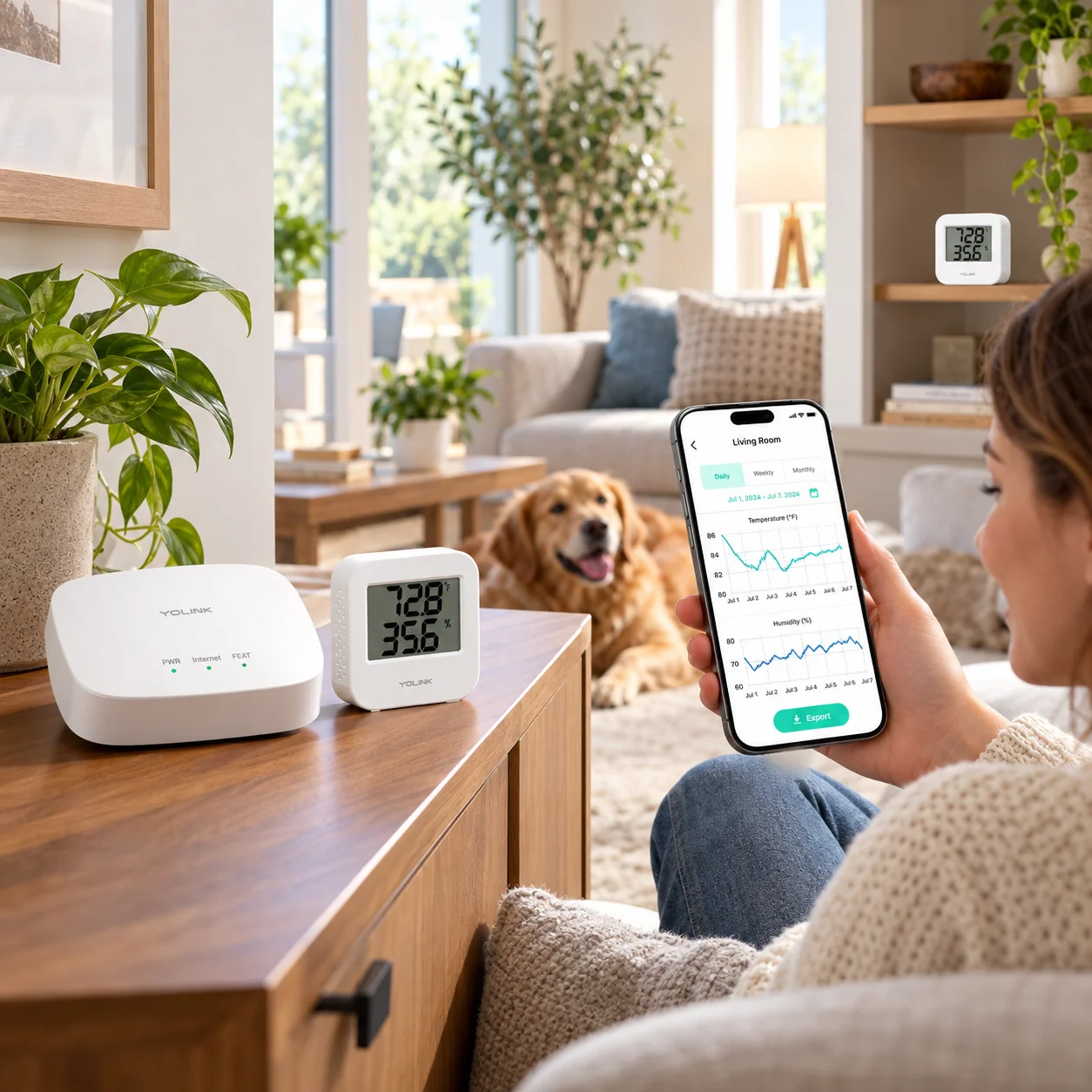
A smart temperature humidity sensor gives you something more useful than a guess. The YoLink starter kit pairs two indoor sensors with a hub, so you can check current readings, review trends in the app, and set alerts for conditions that move outside the limits you choose.

Why a Smart Temperature Humidity Sensor Can Be Useful at Home
The biggest benefit is awareness. Instead of walking into a room and realizing it has become unusually hot, cold, or humid, you can keep an eye on conditions from your phone. That is useful for ordinary comfort, but it can also matter in places where temperature and humidity deserve a little more attention—nurseries, wine storage, basements, refrigerators or freezers used within the sensor’s supported conditions, hobby rooms, pet areas, or an RV.
The point is not to turn your home into a laboratory. It is to make invisible changes easier to notice before they become frustrating. When a sensor can show the current reading and a history of what changed over time, you get a clearer picture of what is actually happening in the room.
What the YoLink Starter Kit Actually Includes
Two indoor sensors plus the YoLink Hub
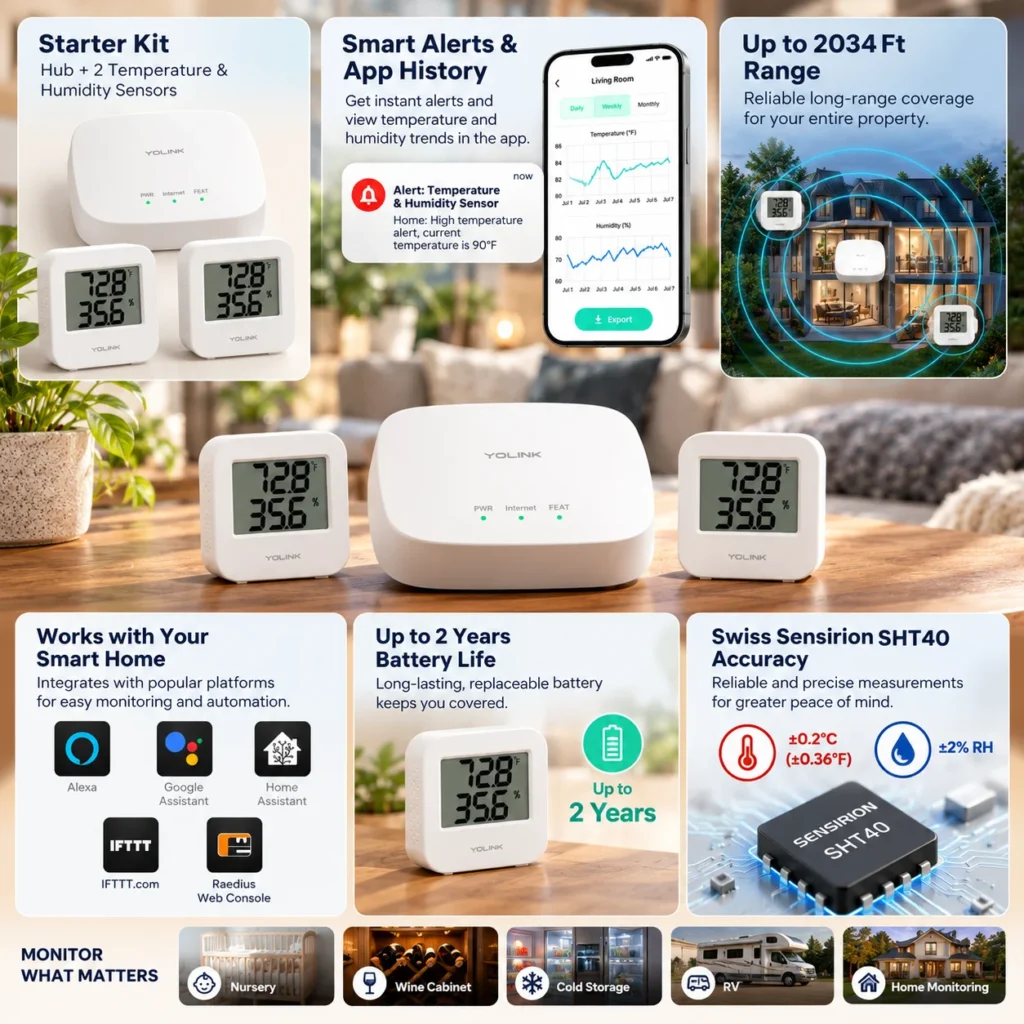
This exact starter kit includes one YoLink Hub and two temperature and humidity sensors. That matters because the sensors do not connect directly to your Wi-Fi for their smart features. They communicate through YoLink’s LoRa-based system and require a compatible YoLink hub for app monitoring, alerts, and cloud-connected features.
For someone starting from zero, having the hub in the box makes the kit easier to understand than buying individual sensors first and discovering later that another piece is required.
App readings, history, and customizable alerts
The sensors show temperature and relative humidity on their own LCD screens, while the YoLink app adds remote viewing, historical graphs, and high/low alerts. That makes the system useful in two different ways: you can glance at a sensor when you are nearby, or check conditions remotely when you are not.
Alerts are especially practical when you care more about exceptions than constant monitoring. You can set thresholds and let the system get your attention when temperature or humidity moves outside the range you consider normal.
Long-range LoRa connectivity and low-power operation
YoLink’s system is built around long-range, low-power LoRa communication. In real life, that can be helpful when a sensor is not sitting right beside the router—such as in a basement, detached area, garage-adjacent space, or another part of the property where ordinary short-range wireless devices may be less convenient.
The current product information also supports up to about two years of battery life under normal use. That keeps the maintenance burden fairly low, which is exactly what you want from a device designed to sit quietly in the background.
Where This Kit Makes the Most Sense
This is most useful when you have more than one place you want to watch. One sensor might live in a bedroom or nursery while the second watches a basement, wine cabinet area, home office, pet space, or another room where comfort changes matter. Because the kit includes two sensors from the start, it feels more like a small monitoring system than a single digital thermometer.
It is also a good fit for people who already use smart-home routines. YoLink lists compatibility for the starter kit with Alexa, IFTTT, Google Assistant, Home Assistant, and its Raedius Web Console, although the depth of control varies by platform. Alexa support for the sensor itself, for example, is mainly useful for asking for status rather than treating the sensor like a full voice-controlled appliance.
What to Check Before You Buy
The hub and internet connection are part of the setup
The hub is not an optional extra if you want the smart features. The sensors communicate to the hub, and the hub needs an internet connection for the app and cloud-based functions. That is not necessarily a drawback—the starter kit already includes the hub—but it is an important part of how the system works.
Think about placement before chasing perfect numbers
Temperature and humidity readings can be influenced by placement. A sensor beside a sunny window, heat vent, humidifier, exterior door, or other local heat or moisture source may tell you more about that exact spot than the room as a whole. For everyday monitoring, place it where the reading represents the space you actually care about.
It is also worth remembering that this is an indoor sensor. Use it within the manufacturer’s supported indoor conditions rather than treating it as a weatherproof outdoor device.

Who Will Get the Most Value From It?
This kit makes the most sense for people who want simple, remote awareness of indoor temperature and humidity across more than one location. It is especially useful if you want alerts without checking a display constantly, or if you like seeing trends instead of one isolated reading.
If all you need is a basic room thermometer that you will look at in person, a connected starter kit may be more system than you need. But if remote monitoring, alerts, long-range placement, and future smart-home expansion sound useful, the YoLink setup has a clear role.
The Everyday Upgrade Take
The YoLink temperature and humidity starter kit is a good example of a quiet upgrade: nothing dramatic changes in the room, but you gain better information about what is happening there. Two sensors, a hub, phone alerts, historical readings, long-range communication, and low-maintenance battery operation give it practical value without requiring constant attention.
For households that want to monitor comfort or protect temperature-sensitive spaces more thoughtfully, this is the kind of small smart-home tool that can make everyday conditions easier to understand.
This article contains affiliate links. As an Amazon Associate I earn from qualifying purchases.
Check the current YoLink Temperature & Humidity Sensor Starter Kit details on Amazon.
Explore more practical monitoring and comfort upgrades in our Home Gadgets collection.
If water leaks are another home issue you would rather know about early, our YoLink Water Leak Sensor guide covers a simple alert-based setup for sinks, bathrooms and laundry areas.